Platform / Scheduling and payroll
Scheduling, staffing and payroll
The schedule, the call-outs and the payroll file all come from the same shifts, so nobody counts hours twice and the clerk gets a file instead of a stack of timesheets.
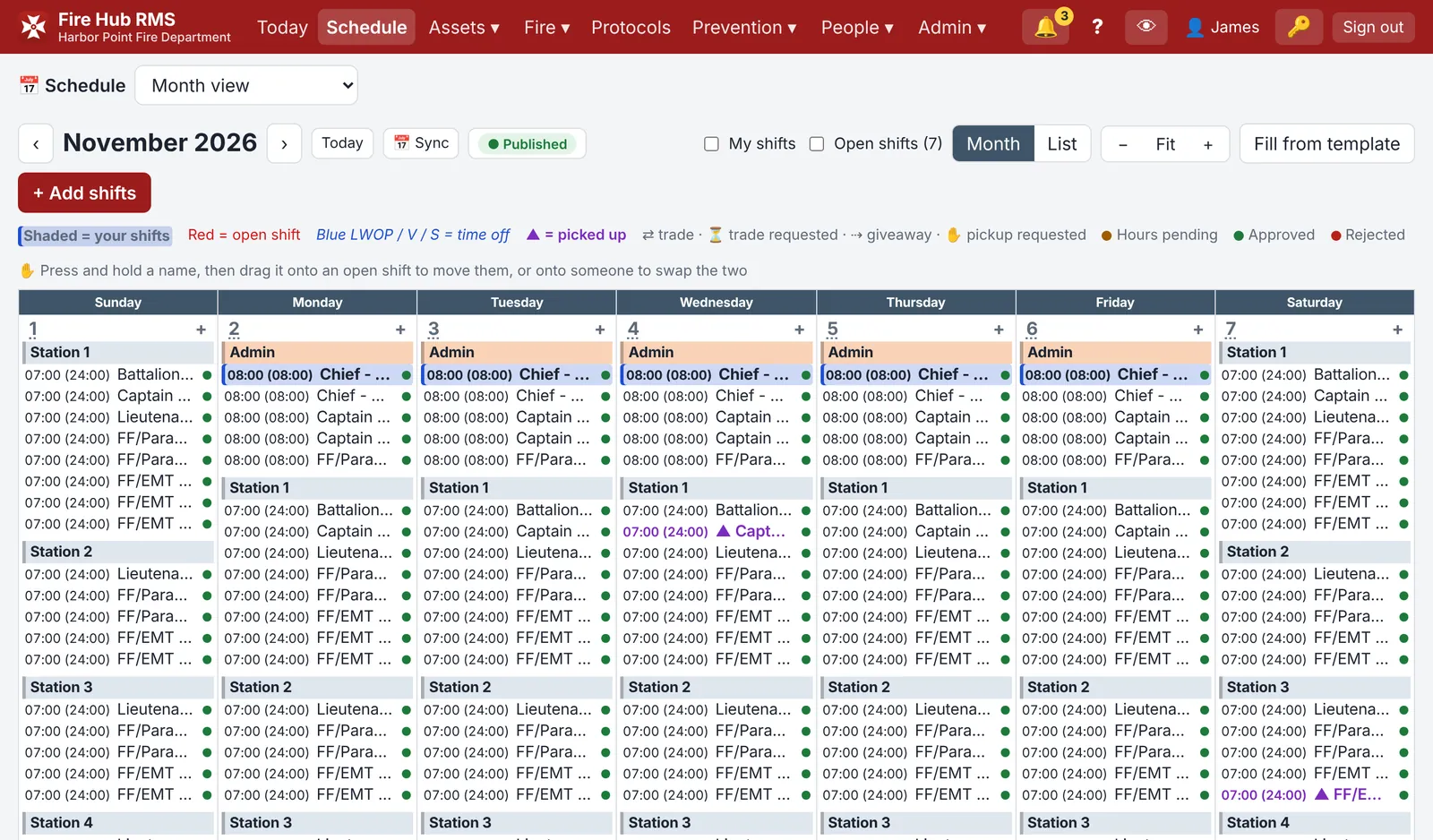
- Drag to move or swapDrag a member onto an open spot, or onto someone to swap them. Overtime and availability warnings show before it saves.
- Open shifts that fillOffers go to the right members, who pick one up right from the notification. An officer approves it.
- Trades and time offTrades, giveaways and time off with leave banks, with who may trade set per employee class.
- Minimum staffingMinimums by apparatus and station, so a short shift shows up before it starts.
- Call-outs and forced hiresRanked overtime lists by hours or seniority, offers sent automatically, and a forced hire when nobody takes it.
- Payroll in orderMembers approve their hours, officers and the chief approve the period, and the clerk gets the file.
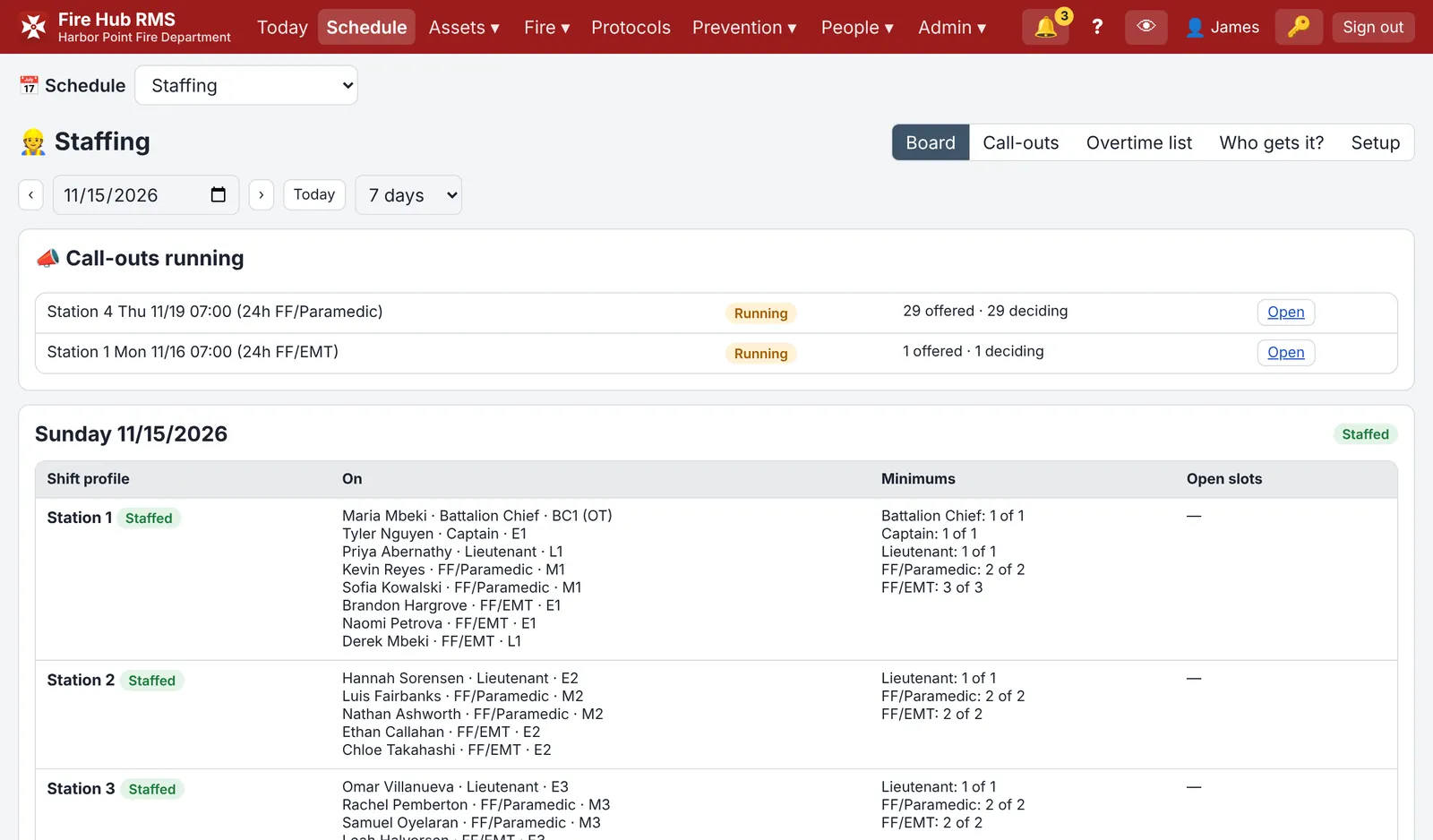
See who's short before the shift starts
The staffing board lays each station against its minimums: officers, paramedics and EMTs by apparatus. A station that's covered says so; one that isn't shows the open slot and the call-out already working on it.
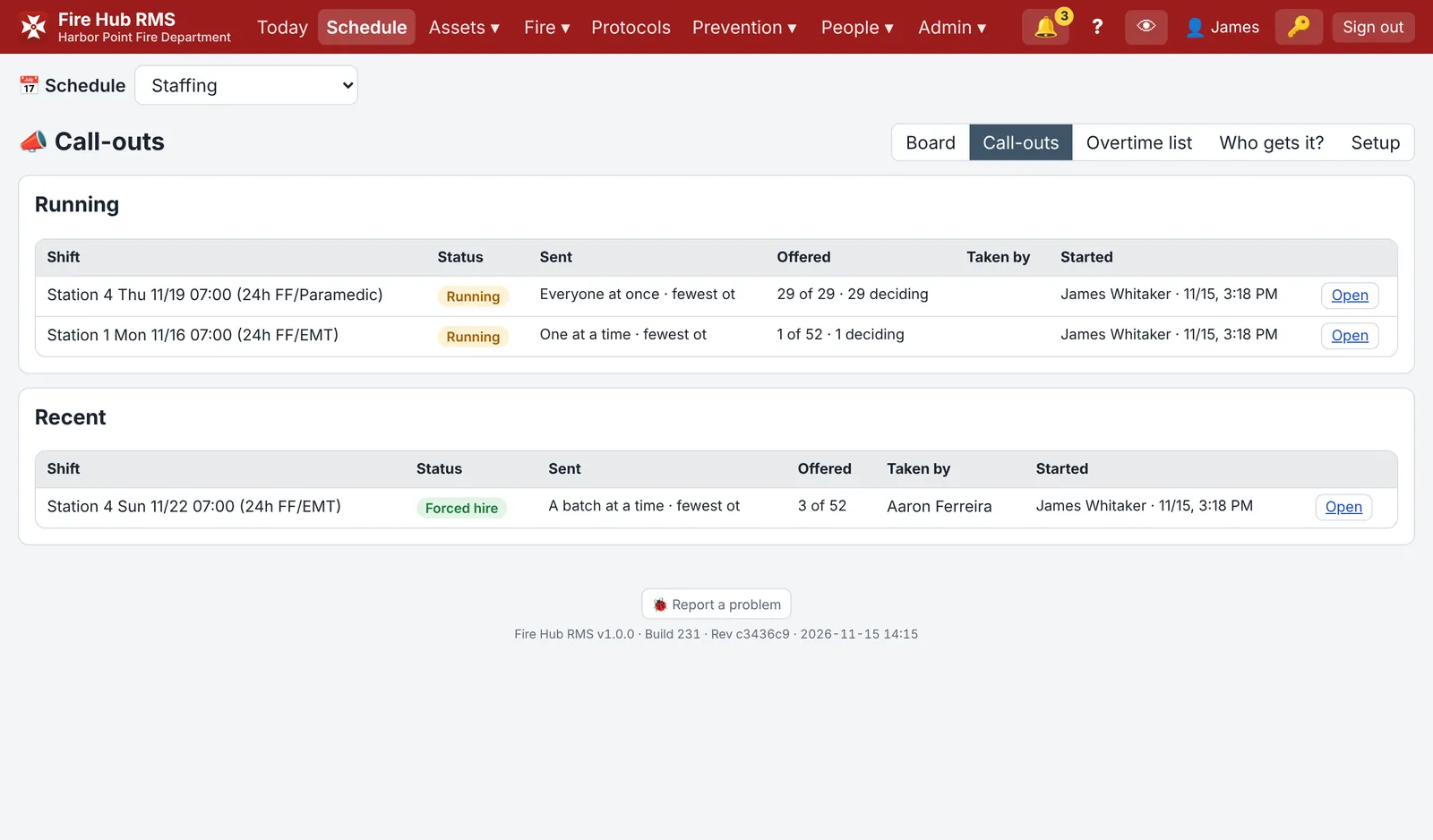
Call-outs that run themselves
Offer an open shift to everyone at once, one at a time down the list, or in batches. Lists can go by lowest hours or by seniority, keep officers on their own list, and reset yearly or never. If nobody takes it, the forced-hire rule picks the member.
Every rule is a setting, because no two departments do overtime the same way.
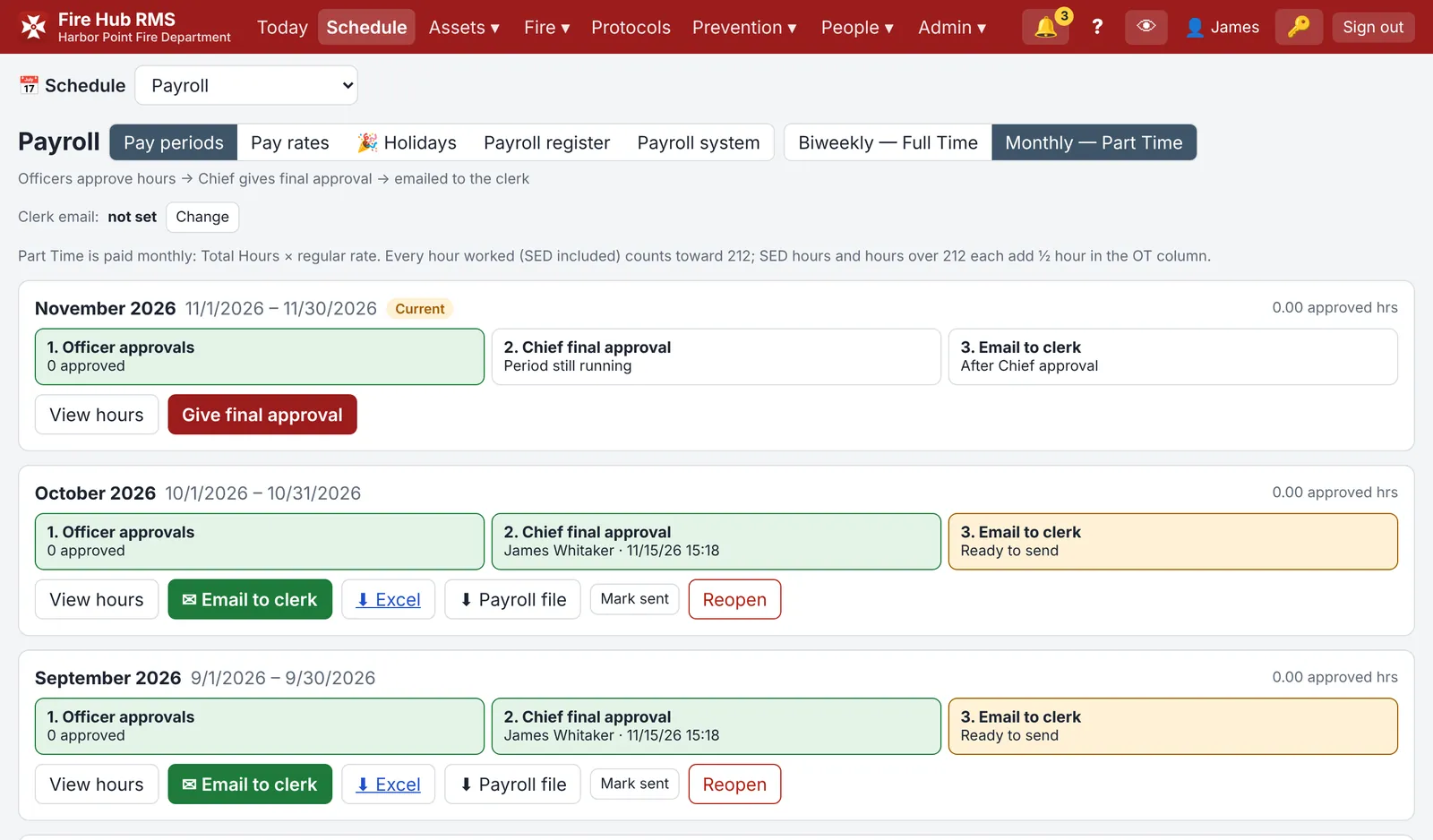
Pay periods signed off in order
Part-time and full-time pay classes, each with its own period, overtime threshold and banks (comp time, flex, sick, vacation, holiday). Officers approve, the chief gives final approval, and the clerk gets an email with the file.
- Exports for Paychex, ADP and Paycor, or a custom layout
- Excel file for clerks who don't use a payroll service
- Calendar feeds for Outlook and phones
More of the platform
Screens shown are from Fire Hub's demo department. Every name, address and call in them is made up.
See it set up like your department.
Built and used on shift at a central Ohio fire department. See it set up with your shifts and stations.